How to let patients upload ID and insurance cards?
"let someone who doesn't have a Google account upload a file"- Quora
This is a common question from people who collect files in Google Forms, because a file upload question makes everyone sign in to Google. For example, you need a copy of each patient's insurance card before the visit. Not every patient has an account and the advice you find doesn't get around it. Copying cards at the desk takes time. With Formesign, patients can send a photo of their card from their phone with no Google account. Even better, you can mark it as private and open it before the visit.
Let's start. Create your form and follow the steps below.
1. Create your patient form
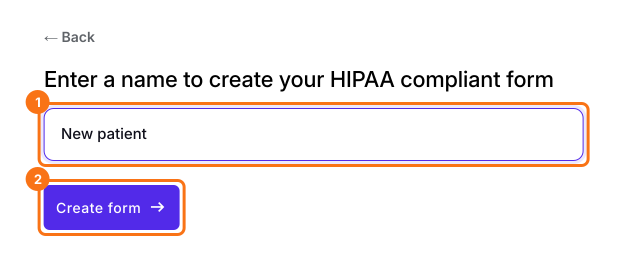
Click on Create your form, click Enter your form name, type New patient and click Create form. Check the outline and click Proceed. You land on the EDIT tab. About 10 seconds later, Check HIPAA compliance opens. Click Proceed and go through the PHI and Sign BAA steps.
2. Add a question for the card
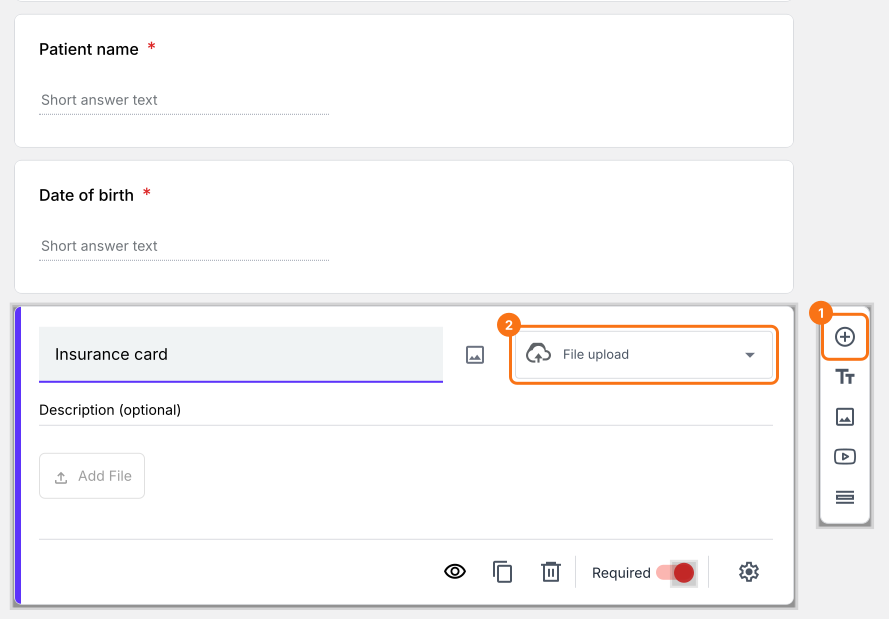
In the EDIT tab, click ⊕ on the toolbar and name the question Insurance card. Choose File upload as its type.
3. Mark it as private
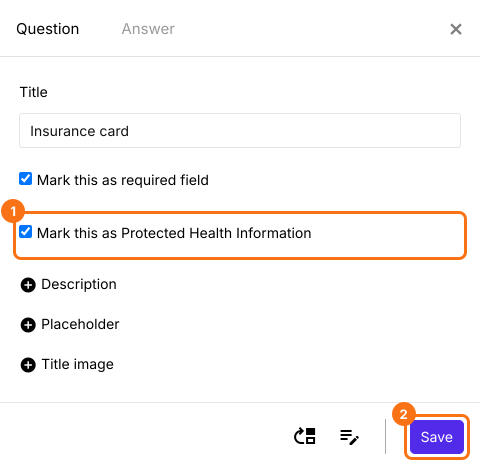
Click the question, then its gear, tick Mark this as Protected Health Information and click Save. Each signer starts on Google Sign-in. If your patients have no Google account, click each signature field and click Not required beside Verify identity.
4. Patients add the card on their phone
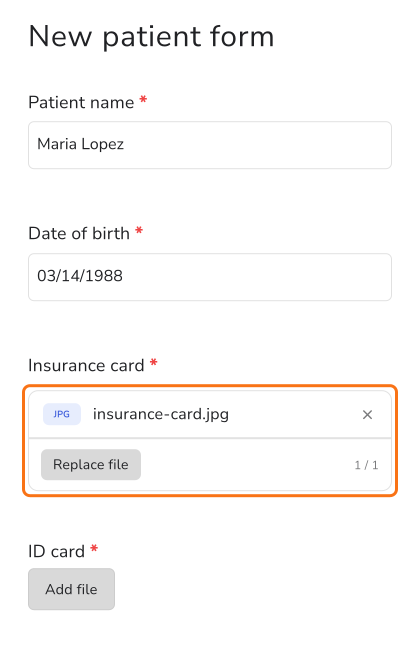
Click SHARE, click Copy and send the link to your patients. Patients tap Add file, take a photo of the card or pick one and tap SUBMIT. They don't sign in to Google.
5. Open the card before the visit
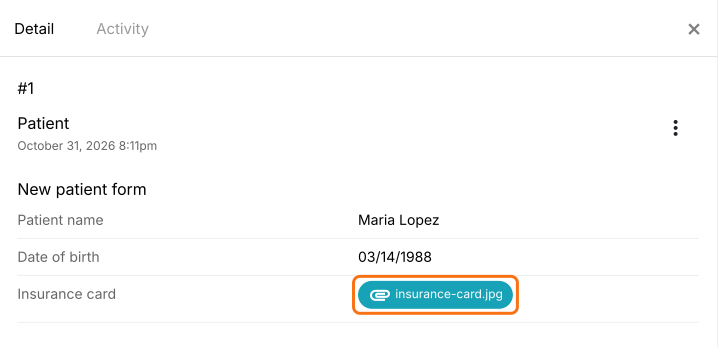
Click RESPONSES, then Kanban board and click the patient's card. Click the file to open it.
Summary
If you need each patient's insurance card before the visit, a Google Forms upload makes everyone sign in and not every patient has an account. With Formesign, patients send a photo of their card from their phone with no Google account and you open it before the visit. Create your form and complete the steps above.
Last updated: